TeacherLED Resource

Interactive Whiteboard Resources For Teachers

Welcome to TeacherLed.com. This site aims to provide teaching and learning resources to make the use of the interactive whiteboard in the classroom easier and more productive. Interactive whiteboard resources are categorised on the left. New interactive whiteboard resources are below.


Interactive Whiteboard Clock

August 5th, 2009 · 9 Comments

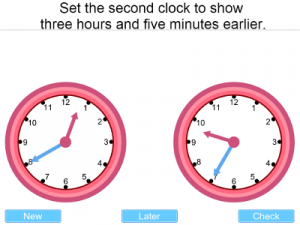
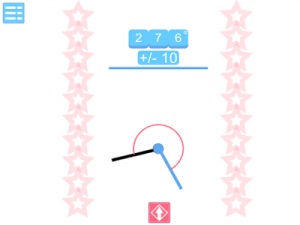
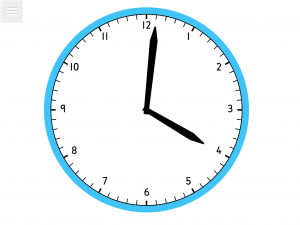
Two interactive whiteboard resources for teaching the time using an analogue clock.  While there are a number of IWB clocks available on the internet this one is an attempt to create a more useful method to set the clock in class question and answer sessions.  As well as the facility to move the hands of the clock found on other resources the outer red rim can be dragged to rotate and this allows much quicker selection of a new time.

As an additional function the outer red wheel can be freely spun by pulling quickly and releasing and this will spin the hands of the clock to a random time.  This function will be easier on an interactive whiteboard than with using a mouse.

EDIT: I have now added a clock for when you want to introduce roman numeral clocks. This one references the clock that often has the name of its bell extended to it, Big Ben. There is still a rotating bevel on this on and it works like the simple clock. The bevel is invisible unless you start to drag it.

NOTE:  A list minute change has introduced a bug into the rotation making the hand’s movement choppy.  This will be fixed today.  Fixed!


The image of the clock tower is courtesy of DAVID ILIFF and is used under a Wikipedia Commons license.

Please feedback on how useful you find this resource.

For standard IWB clock go to interactive whiteboard clock.

For roman numerals “Big Ben” clock go to interactive whiteboard clock.

→ 9 CommentsTags: General Maths · Shape Space and Measure

Card Frame

June 9th, 2009 · 14 Comments

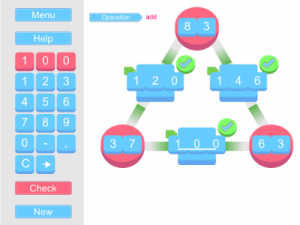
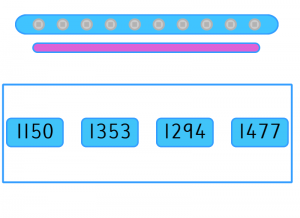
 An interactive whiteboard resource to accompany a puzzle published in an old book by Henry Ernest Dudeney.  The puzzle is a useful one for teaching deeper mathematical thinking because while it can be solved by trial and error thinking about the maths behind it can make it much easier. 

The goal is to choose a number that all 4 sides of the frame can add up to and arrange the cards to do this.  Some numbers are possible some numbers are not.  This puzzle has been selected as it allows students of all abilities to have a go as the maths involved is not difficult.  The challenge should be to find a method of determining what numbers can be used as the common total amount and then how to make finding the layout much easier.  The resource provided here allows the puzzle to be demonstrated easily and can also allow whole class discussion of how to approach the problem.  Clicking on one card and then another causes them to swap places.  The resource totals the different lines automatically.  The original wording of the puzzle can be made to appear by clicking on the question mark button.

A printable sheet accompanies this resource which includes the original wording and diagram. It also includes the appropriate cards for cutting out to do the puzzle away from a computer.  If teachers would like the solution and maths behind it leave a comment with your email address in the box (it will not be published).  There will be at least a 5 day delay to ensure that students who have been set this as homework aren’t cheating by impersonating a teacher!

Go to interactive whiteboard resource.

Get printable resource.

→ 14 CommentsTags: Investigations · Problem Solving

Vowel Digraphs

April 26th, 2009 · 1 Comment

A literacy focussed Interactive Whiteboard resource.  This resource is to be played at the IWB by students.  A common vowel combination is shown at the top of the screen and the student is challenged to make the longest word they can from the variety of letters shown on the given tiles. Non-scoring words such as those that do not contain the given vowels or are incorrect will result in points being taken away.  A four letter word will score 1, a five letter word 2, 6 letters will score 3 and  more than 6 will score 5.  Each game is timed with the time available  be set by the teacher.  There will always be at least a 4 letter word that is possible for each selection.

A high score facility has been suggested for some previous resources so has been incorporated into this resource for the current session.

This resource will take longer to load than others due to the size of the built in dictionary.  If any problems are found with the dictionary such as not recognising a common word please report it as well as any other errors you may encounter.  As ever the final error testing for this resource is in the hands of the users.

Go to Interactive Whiteboard Resource.

→ 1 CommentTags: Spelling

Translation Plotter

April 8th, 2009 · 5 Comments

Teach the translation of shapes using this interactive whiteboard resource.  Click on one of the shape buttons to the right of the grid to display the corresponding shape in a random position.  A set of instructions for translating this shape will also appear in the blue box.  Drag and drop the four circular markers to the translated position of the shape’s corners.  If they are placed in the correct position the translated shape will be drawn on the screen.

The instruction box can be dragged to convenient locations on the screen.  The translating instructions can be set to words or vectors or both.

Please report any errors in the comments section.

Interactive whiteboard resource.

→ 5 CommentsTags: Shape Space and Measure

Clock Rotation

March 10th, 2009 · No Comments

An interactive whiteboard resource to practise visualising clockwise and anticlockwise rotations.

When you click on “go” the clock face will be obscured.  When it is shown again the numbers will be hidden.  The blue box at the side tells you how many degrees the clockface has been rotated by and whether the rotation was clockwise or anticlockwise.

The rotations are always in multiples of 3o degrees. Clicking “show” will reveal the clock’s numbers and the answer.  This would probably be useful as a plenary activityafter a lesson on rotation.

Any comments are welcome as are error reports and suggestions for improvement.

Interactive whiteboard resource.

If you are looking for a traditional interactive whiteboard clock for lessons on telling the time go to: interactive whiteboard clock on this site.

→ No CommentsTags: Shape Space and Measure · Starter/Plenary

Reading Scales 2

February 18th, 2009 · 10 Comments

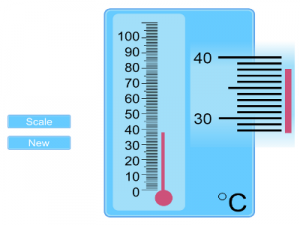
An update to the most frequently used interactive whiteboard resouce on this site.  A variety of measuring devices can be shown on the screen grouped together in themes.  Use the arrow buttons to select between them.  Click the “New” button to generate a new set of readings.

More than one device is shown on screen to allow for the differentiation between abilities during a class questioning session.  Some devices have more complex demarcation than others.  Some devices will always move to a whole mark on the scale others allow a measurement to fall in between.   Those devices where the demarcation may be difficult to read from a distance use a magnifying mechanism alongside them.

Reading scales 2 interactive white board resource.

The original reading scales resource.  On the whole this uses more straightforward scales so may be useful for introducing the concept.

If you have any suggestions for new measuring scales for this resource or encounter any problems please leave a comment.

→ 10 CommentsTags: General Maths · Number

Venn Factors

January 31st, 2009 · 4 Comments

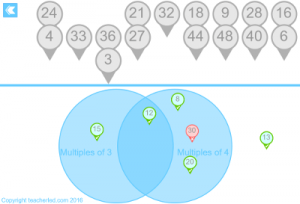
An interactive whiteboard resource to demonstrate sorting groups of factors  using a venn diagram.  This resource could be useful when teaching highest common factors.

Use the arrows to change the number to generate factors for.  Drag and drop the tiles to the correct position on the venn diagram.  They will illuminate green when correctly placed and red when incorrectly placed.

Go to interactive whiteboard resource.

A similar interactive whiteboard resource focussing on multiples rather than factors.

Another  factor based resource but one that demonstrates prime factor trees.

→ 4 CommentsTags: Number