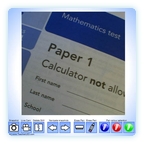
 An experimental interactive whiteboard resource. Its purpose is to allow some of the benefits of an expensive visualiser to be used in the average classroom. Use a webcam to project objects on to the interactive whiteboard. Take snaps and annotate them, swap between the snaps and keep the annotations. Snap students’ work and point out what’s good about it. Sadly this resource is limited by the detail of the average webcam. Anything less than 1.3 megapixels will not scale up to interactive whiteboard size. A 1.3 mp will not be a perfect picture either. Nevertheless as a demonstration aid this still has uses. Please leave feedback on how you have used it.
Go to learning resource
Get instructions
Although I have managed to use this successfully at home (IE6), at school (IE7) the webcam image is to the right of the screen, and so large that it overlaps the toolbar at the bottom so the only button available is the snapshot button. Any ideas on how to fix it would be gratefully received as I would love to make use of it.
Thank you for letting me know of this problem. I’ve tested this resource on IE6 and IE7 and had no problems so it seems unlikely to be caused by the browser version.
Is the resolution on your school PC much lower? The resource is fixed at 600X600 so if you were using an 800X600 resolution there may be problems. Unlike all of the other resources this one cannot scale to your screen, its a fixed size, as allowing it creates very strange effects. Still, what you describe doesn’t seem to fit with this. I’ll try and find an answer.
Edit: I’ve tried this at 800X600 and the bottom of the resource is cut off but you can (in IE) press F11 to go to full screen and then it is visible. However, as you say it is over to the right on yours, this doesn’t seem like it will solve it for you. I’ll keep looking. If it’s possible try raising the resolution on your school PC.
Try this learning resource.It is the same thing but allows the resource to scale. Unfortunately it has the annoying effect of allowing the still image to be erased if you use the eraser tool in the same place too much. Clearing all repairs the erase. This seems to be a bug in Flash and is unavoidable for drawing over a moving image. Let me know if it works and then I’ll know it is the no scaling constraint. For other readers unless you have the problem described here use the link above to use this resource.
This is a bit of an experiment so if you do get it to work, please comment. I’m interested in whether the limitations of the webcam are a problem and how you put it to use. I also have some ideas for other webcam resources but I’m not sure how many classrooms have access to them.
Spencer
I have used a Sony Cybershot P32 (3.2 mpixels) and it’s video out with very good results. It also has the advantage of being able to be tripod mounted.
That’s a higher quality than I’ve ever used. I’ve only got a 1.3mp which has tolerable results so its good to hear that it scales up well for a higher mp camera. Thanks for feeding back.
I am using aLogitech Pro 9000 mounted on a science clamp stand . The picture is excellent and it has auto focus.
Thanks for this information. Do let me know of any suggestions for this resource. For anyone interested in the camera mentioned by Mr G it is this one: Logitech QuickCam Pro 9000 Webcam
Hi,
I used it with a £14.99 logitech 1.3m webcam, vg quality. A pupil up the back read my handwriting easily. Good bit of software. I’m now gonna get an #HD webcam for 30fps, £50, mainly for teaching design sketching and manual rendering.
#Logitech QuickCam Pro 9000 Webcam
Thanks for sharing that. Be interesting to know how the hi-def goes. It seems a few people are using this now. Any suggestions for new features improvements etc?
The HD is excellent. I use it for videos of my sketching and drawing to aid HW and study but firing paper under the camera is handy for showing textual stuff.