Resources Tagged as 'General Maths'

This resources brings a popular old resource up to date. As well as being smartened up this resource is compatible with iPads and other tablets as well as PCs. In essence it is the same as the older resource and is made to accompany a puzzle published in an old book by Henry Ernest Dudeney. The puzzle is a useful one for teaching deeper mathematical thinking because while it can be solved by trial and error, thinking about the maths behind it can make it much easier.
The goal is to choose a number that all 4 sides of the frame can add up to and arrange the cards to do this. Some numbers are possible some numbers are not. This puzzle has been selected as it allows students of all abilities to have a go as the maths involved is not difficult. The challenge should be to find a method of determining what numbers can be used as the common total amount, and then how to make finding the layout much easier. The resource provided here allows the puzzle to be demonstrated easily and can also allow whole class discussion of how to approach the problem. Clicking on one card and then another causes them to swap places. The resource totals the different lines automatically. Tapping the chalkboard brings up brief instructions.
If you would like the solution and teaching notes to this puzzle please contact me on twitter as this makes it much easier to see if it is a teacher or a child cheating on homework! If you don’t use twitter leave a request in the comments but this will take longer to receive a response.
This resource does not work with Internet Explorer 9. On Windows please upgrade to IE 10 or use Chrome or Firefox. Or use the original version of this resource linked to above.
Go to teaching resource.
HTML5 performance is still not quite there yet so on some devices this resource may lag slightly.
[Read more →]
Tags: General Maths · Investigations · iPad Compatible
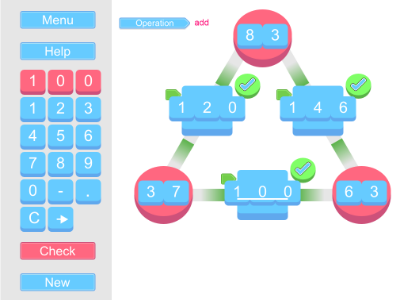
This interactive whiteboard resource is useful for introducing children to the concept of having the answer but not one of the numbers in the question. An addition is shown with an answer but not one of the numbers being added. The “20″ button generates questions with an answer below 20. The “100″ button generates numbers with an answer below 100.
There are two modes that can be toggles to control how this works. The mode is selected by using the options card which can be toggled on by tapping the turquoise triangle at the upper left of the screen. Interactive answers can be turned on or off.
Interactive answers off: Just the addition is shown with the missing number covered by a “?”. Tap help to provide a hint to the question using inverse operations. Tap the question mark to reveal. This mode is useful for quick question and answer sessions.
Interactive answers on: The question mark cannot be removed. A set of answer numbers appear which can be dragged to the “Answer Here” box appear. Once the answer is given the tick/cross button can be pushed to check the answer. Stars appear down the right of the screen. Each pair of stars correspond to 1 question. One star is filled in for an answer for numbers below 20. Two stars are filled in for answers to a question below 100. Use these to try and get ten answers correct in a row.
The hidden number can be toggled between left and right using the toggle on the option card. The next question generated will have the card in the new place.
Go to interactive whiteboard resource.
This resource was originally designed to be part of the Numeracy Basics app but I decided that its use is to specific for that app which is a general set of tools rather than focused activities. This may appear on another app of resources so if you have any suggestions for that or for this IWB version please leave a comment or let me know on twitter @teacherled.
[Read more →]
Tags: Algebra · General Maths · Number · Uncategorized
This interactive whiteboard resource is designed to facilitate number work and place value with a class. It works primarily as an aid to questioning when comparing the effect of change a digit in a place and comparing number sizes. You may also find other ways to use it.
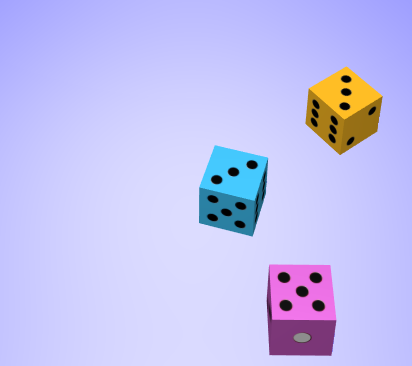
The resource was originally suggested on twitter by @gepocock. She originally asked for it to use dice to allow numbers to be randomly generated for hundreds tens and units. I changed this to flip charts as dice are a little impractical to manipulate when represented digitally. Furthermore a six sided dice doesn’t have enough numbers and a ten sided dice can be confusing to read. Hopefully the end result allows the same use.
Generate a new digit by tapping the page on each flip chart. Flip charts can be rearranged by dragging them from the red top of the chart. They can be placed on any empty peg. The place value headings can be toggled using the top “x” button. The flip charts and pegs on the bottom can be toggled on or off by using the bottom “x” button.
This resource is a candidate to be added to the Numeracy Basics app for the iPad for its next update. You can comment on its functionality either in the comments below or on twitter @teacherled.
Go to number flip interactive whiteboard resource.
[Read more →]
Tags: Basic Skills · General Maths · Number
November 27th, 2012 · 1 Comment

This resource is the free IWB version of the new resource added to the Numeracy Basics iPad app. Apart from performance. which is dependent on your computer, it is identical to the one in the app. It is designed to allow teachers to model a variety of number based lessons. As many of each number and operation can be dragged on to the whiteboard and moved around. To remove any single number just drag it off the board. To clear all of them tap the recycle button.
This IWB version can be used for whole class teaching. If you have the app on an iPad as well you can use it for providing one to one and small group assistance. Information on the app as well as the free IWB version of each resource it contains are available here.
Go to Magnet Numbers IWB resource.
[Read more →]
Tags: General Maths · General Tool · Number
August 23rd, 2012 · 1 Comment

This interactive white boards resource is a new version of one featured on the original version of the Numeracy Basics app. In the UK reviews somebody suggested that it would be useful if the beads increase from 20 to 50 or 100. The reason that they were fixed at 20 was that that was the most that could be usefully fitted on screen at once. However by allowing them to scroll 20 can still be on screen but more flexibility is given. Scroll the beads by moving the blue bar at the bottom.
The beads can be coloured into odds and evens or groups of 5 using the appropriate buttons at the top.
The top row of beads start blank but show a number when tapped. The bottom row of beads start with the numbers showing. When they are tapped they bounce to mark the position.
The rows can be made to hide by tapping the ‘x’ button next to each one.
A guide for adding and subtraction 10s can also be toggled on or off.
Go to Number Beads IWB resource
[Read more →]
Tags: Basic Skills · General Maths · General Tool · Number
August 23rd, 2012 · 1 Comment

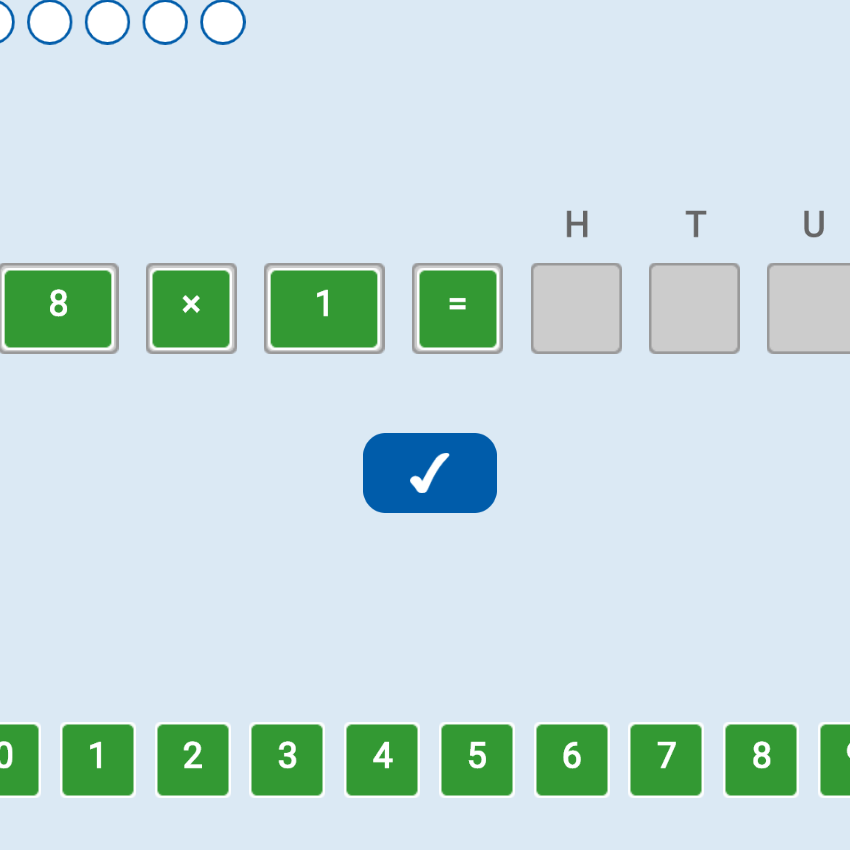
This interactive whiteboard resource is a simple one for going over times tables. You can select which times table to display and whether to display it in order. Tapping the blue covers reveals or hides each answer. All can be covered or uncovered using the buttons at the top.
This resource is identical to the one on the Numeracy Basics app for the iPad. As such this IWB resource can be useful where whole class teaching takes place with the IWB and individual or group work with the iPad. As this resource plus the 4 others on the app are also available to use for free on desktop computers it also provides a useful way to evaluate whether you want to purchase the app.
Go to Times Table IWB resource.
If you feel this resource plus an interactive clock, a multiplication grid, a number track and a times tables resource would be useful on an iPad please see it in the app store by clicking the icon below:

[Read more →]
Tags: Basic Skills · General Maths · Number

This interactive whiteboard resource is the same as the one found on my newly released iPad Number Square App. By releasing a version for the IWB the idea is that whole class teaching can take place using the IWB resource, the teacher can then use an iPad to provide further small group or individual support with a resource the children are already familiar with. Or small groups can use an iPad to use the methods modelled by their teacher. It also, of course, allows you to try the app before you buy.
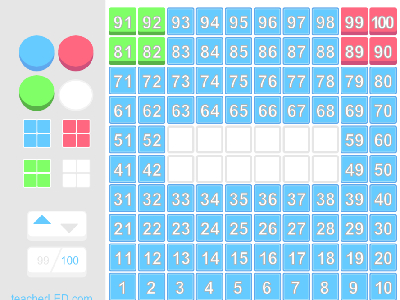
This is a 100 Number square. By clicking the 99/100 button it can be toggled between going from 0-99 or from 1-100. Whatever colour is selected by the buttons with a circle on them will be the colour that the squares will change if tapped. Tapping the button with the four coloured sqaures changes all tiles to that colour. Selecting the lowest left button and then touching individual squares will set them rocking to draw particular attention to numbers or to help any students with colour vision problems identify the squares being looked at. Tapping a sqaure again with this option selected will stop it moving. The button next to it will stop the rocking effect on all tiles that are currently rocking.
This updated version now allows you to highlight multiple squares by swiping across them rather than tapping them individually. This greatly speeds up the set up of new examples.
Go to interactive whiteboard number square. This resource is quite large so for best effect use your browser in full screen (In Internet Explorer press F11).
If you feel this resource plus an interactive clock, a multiplication grid, a number track and a times tables resource would be useful on an iPad please see it in the app store by clicking the icon below:

[Read more →]
Tags: Basic Skills · General Maths · General Tool · Number